
VicoHome: Smart Home Camera
VicoTechVideo Players & Editors
4.45.12K Reviews
- Version
- 4.7.0
- Installs
- 1.00M
- Age Rating
- Everyone
Screenshots
Our Review of VicoHome: Smart Home Camera
 Analysis by Appyee
In its first few days, a camera app can feel reassuring simply because checking home takes a tap instead of a trip back to the front door. I found that VicoHome: Smart Home Camera is most appealing when I treat it as a practical way to keep an eye on a place, not as a substitute for a complete security system. It is a free video and camera-control app from vicohome team, with a 4.6 average from around 43,000 ratings and more than a million installs. That gives a new user a useful sense of how widely it is used, though the real test is whether checking it remains helpful once the novelty wears off.
From First Setup to a Useful Routine
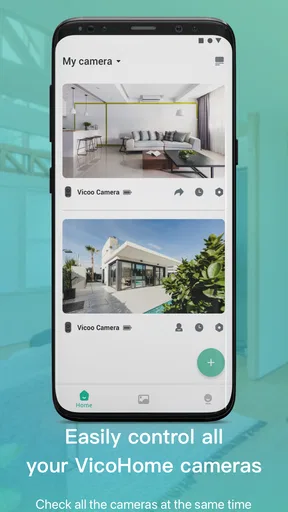
Right off the bat, the installation process was smooth as butter. I downloaded it, and within a few clicks, I was setting up my cameras. The interface is super user-friendly, which is great because, let’s be real, no one wants to spend hours figuring out how to use an app. It’s got this clean, modern look that just makes you want to dive right in and start exploring.
Setting Up Your Smart Home
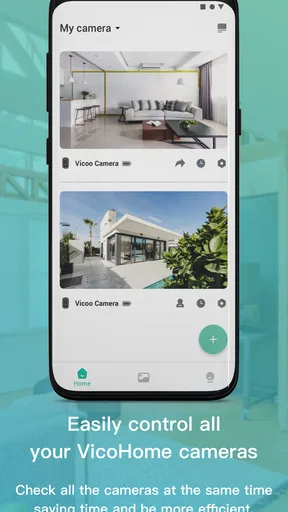
Once you’re in, setting up your devices is a breeze. The app guides you through each step with easy-to-follow instructions. Whether you’re tech-savvy or not, you’ll find it straightforward. I had my cameras connected and ready to go in no time. Plus, it supports a wide range of smart home devices, so you can really customize your setup.
One of the features I loved is the motion detection. You can adjust the sensitivity levels, which is a game-changer. No more getting notifications every time a leaf blows across your yard. The app lets you fine-tune everything to your preference, so you only get alerts when it truly matters.
That adjustment is worth doing before you rely on alerts. A camera facing a busy walkway may need a different sensitivity from one watching a quiet entrance, and a few days of observing what triggers notifications can help you find a less noisy setting. I would start conservatively, then raise sensitivity if meaningful activity is being missed. The aim is not to receive the most alerts; it is to make the alerts you do receive worth opening.
Features That Stand Out
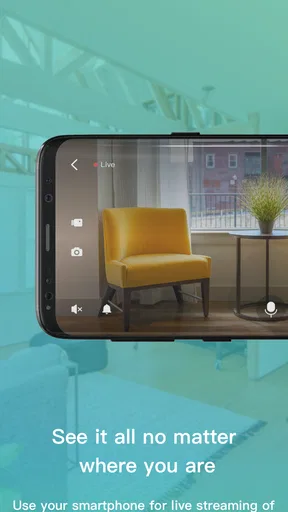
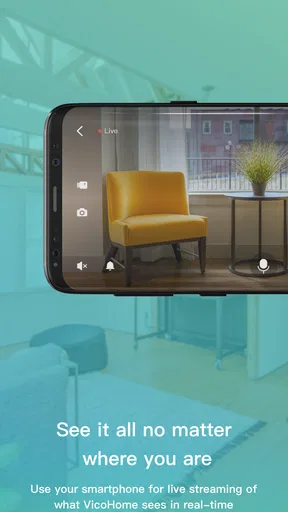
What really sets VicoHome: Smart Home Camera apart is its real-time video streaming. The video quality is top-notch, and there’s no noticeable lag, which is crucial when you’re monitoring your home. I could easily check in on things when I was out and about, giving me that extra layer of security.
Another cool feature is the two-way audio. It’s like having a walkie-talkie connected to your home. You can communicate with anyone on the other side, whether it’s telling the delivery guy to leave the package at the door or scaring off a potential intruder.
In ordinary use, I see two-way audio as more useful for a quick, calm instruction than as a dependable way to handle a serious security incident. A brief message to a visitor is straightforward; trying to manage a tense situation through a camera is not the same as being there. I’d also check the camera’s placement and sound pickup at home before counting on a conversation, since an awkward position can make speaking less useful even when the feature is available.
There’s also cloud storage, which is super handy. All your recordings get saved securely, and you can access them anytime from anywhere. It’s peace of mind knowing you have a backup of everything, just in case.
Getting to Know the App
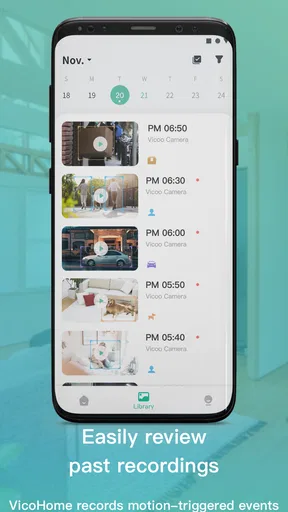
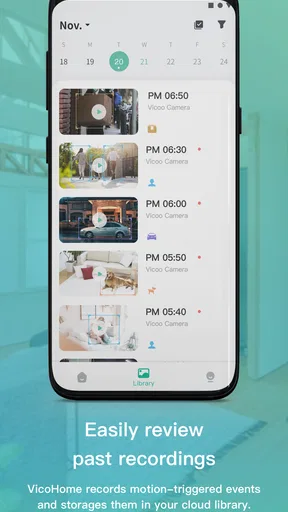
The app’s layout is intuitive, with everything neatly organized. There are sections for live view, playback, and settings, so you’re never more than a tap away from what you need. I especially liked the timeline feature, where you can easily scroll through past recordings.
Playback becomes more useful when you have a specific question, rather than when you try to watch every recording. If a delivery notification arrives, for example, I’d open the relevant camera, look around the likely time, and use the timeline to review that stretch. This kind of focused check is less tedious than treating a camera feed like a television channel. It also helps reveal whether the camera is pointed at the area that matters or whether its view needs adjusting.
Notifications are customizable, which is a big plus. You can set them to alert you of specific events, like motion detected or when someone rings your smart doorbell. It’s all about having control over what matters most to you.
What It Is Like to Keep Using It
The lasting value of a camera app comes down to whether it fits a routine without demanding constant attention. A realistic use is checking the entrance after leaving for work, then looking at a recording only if an alert gives you a reason. That is a modest habit, but it can be genuinely useful for checking a visitor or confirming activity around a door. If the app instead becomes a stream of low-value alerts, the natural response is to ignore them, which weakens the point of having a camera.
For that reason, I would review notification settings after the first few days rather than leave every option enabled. Think about what you actually need to know: activity at a particular entrance, a doorbell event, or movement in a shared space. Focusing the alerts around that purpose can make the app feel calmer and easier to maintain. It is also sensible to decide who in the household should check the feed, so multiple people are not all reacting to the same routine movement.
VicoHome sits in a different role from a general video player or editor, even though it is listed in the video players and editors category. Its value is in connecting to and managing smart devices, rather than editing clips or organizing a personal media library. Compared with checking a camera through a device-specific alternative, a unified app can be more convenient if your equipment works with it. But if you only want to watch or edit saved videos, this is the wrong kind of tool; a dedicated media app will be a better fit.
The practical question before setup is whether the cameras and other devices you intend to use are compatible with the app. Its onboarding can guide a supported setup, but an easy interface cannot make incompatible hardware work. I would check the device’s own instructions and compatibility details before building a home around any single app. That small bit of preparation matters more than rushing through installation, especially if you expect to use several cameras or devices together.
Security and Privacy
In today’s world, privacy is a big deal, and the folks at VicoHome seem to get that. The app uses encryption to keep your data secure, so you don’t have to worry about prying eyes. It’s good to see that they take user privacy seriously, which is something I really appreciate.
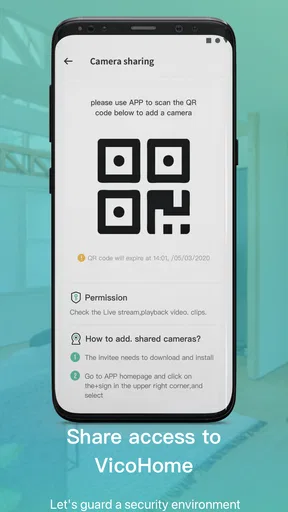
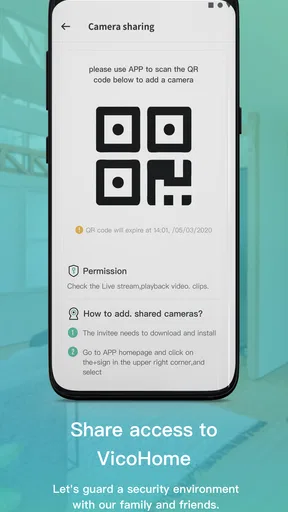
Even with a security-minded app, I would treat camera placement and account habits as part of the setup, not an afterthought. Aim cameras at the areas you need to monitor and avoid pointing them into places where people expect privacy. Keep access details private, and think carefully before sharing a view with anyone else. Those simple choices make a home camera more comfortable to live with and reduce the chance that monitoring feels intrusive to household members or visitors.
Costs, Compatibility, and Ongoing Effort
The app is free to install, with in-app purchases ranging from $0.99 to $999.99 per item. That broad range makes it worth checking the purchase details shown for your account and needs before committing to anything. I would first decide which functions I actually expect to use, then compare the available options rather than assuming that the basic download covers every ongoing requirement. Anyone looking for a completely cost-free setup should pay particular attention to those choices.
Ongoing effort is less about opening the app and more about keeping the setup sensible: checking that alerts still match your routine, confirming that the camera view has not become obstructed, and reviewing how you use recordings. A camera pointed at a growing plant or a frequently opened door can gradually become less useful without any obvious app problem. A quick occasional check of the physical view and notification pattern can prevent that slow drift into useless alerts or missed activity.
The app is rated for Everyone, and its current version is 2.90.5, with Android 7.0 or later listed as the minimum operating system. It was released on November 12, 2020, and has around 4,300 written reviews. Those details make it easier to judge whether the app suits an older device and to recognize that it has been available for years, but they do not remove the need to check compatibility with the particular camera you own.
Who Will Appreciate It—and Who May Not
I’d recommend this kind of setup to someone who already has compatible smart cameras and wants a straightforward place to check live video, review recordings, and manage alerts. It is especially handy for small, repeatable checks: seeing whether a visitor has arrived, looking in on an entryway while away, or reviewing a motion event instead of guessing what happened. The combination of live view, playback, and notifications gives those tasks a clear path without requiring the user to constantly watch the feed.
I would not choose it just because I wanted a general-purpose video app, nor would I rely on it as the only response to an emergency. Someone who needs a specific recording workflow, a particular security arrangement, or hardware that does not work with VicoHome should look for an option built around those requirements. Likewise, if alerts make you more anxious than informed, a camera app may not improve your day simply by being available on your phone.
Final Thoughts
All in all, VicoHome: Smart Home Camera is a solid choice for anyone looking to enhance their home security with smart technology. It’s packed with features that make it easy to monitor your home, and the app itself is a joy to use. Whether you’re at home or halfway across the world, you can keep an eye on things with just a few taps.
If you’re in the market for a smart home camera solution, definitely give this one a go. It’s reliable, intuitive, and in my opinion, a great investment in your home’s safety. So, what are you waiting for? Check it out and see for yourself!
For me, its strongest long-term case is simple: a camera app earns its place when it answers a small number of real questions quickly, without turning the phone into a constant alarm panel. The first-week appeal is easy setup and the satisfaction of seeing a live view; lasting value depends on compatible equipment, useful alert tuning, and a routine that stays manageable. If those pieces fit your home, VicoHome can remain a practical check-in tool. If they do not, the initial convenience is unlikely to make up for the friction.
Privacy and Permissions
See what permissions an app requests and how it handles your data.
- Contacts
- read your contacts, modify your contacts
- Location
- approximate location (network-based), precise location (GPS and network-based)
- Phone
- read phone status and identity
- Photos/Media/Files
- read the contents of your USB storage, modify or delete the contents of your USB storage
- Storage
- read the contents of your USB storage, modify or delete the contents of your USB storage
- Camera
- take pictures and videos
- Microphone
- record audio
- Wi-Fi connection information
- view Wi-Fi connections
- Device ID & call information
- read phone status and identity
- Other
- view network connections, pair with Bluetooth devices, access Bluetooth settings, change network connectivity, connect and disconnect from Wi-Fi, disable your screen lock, control flashlight, full network access, change your audio settings, run at startup, draw over other apps, control vibration, prevent device from sleeping, modify system settings
Verdict
Strengths of VicoHome: Smart Home Camera
- Easy setup process with user-friendly interface.
- High-quality video streaming and recording.
- Real-time alerts for immediate awareness.
- Integration with multiple smart devices.
- Cloud storage for secure data backup.
Limitations of VicoHome: Smart Home Camera
- Free version has limited features.
- Occasional connectivity issues reported.
- App can drain battery quickly.
- Limited customization for alert settings.
- Subscription required for full functionality.
Other Releases by VicoTech
View All
Vico Nature: Smart Nature View
Tools4.1
Similar Picks in This Category
View All
Google TV
Google LLC3.9

iTunes
Apple4.7

YouTube
Google LLC3.8

MX Player
Amazon Mobile LLC4.2

CapCut - Video Editor
Bytedance Pte. Ltd.3.5

PLAYit-All in One Video Player
PLAYIT TECHNOLOGY PTE. LTD.4.5
Frequently Asked Questions
What features does VicoHome: Smart Home Camera offer?
VicoHome provides a range of features to enhance home security. It includes motion detection, night vision, two-way audio, and cloud storage for recorded footage. Users can also receive real-time alerts, ensuring they’re instantly notified of any unusual activity. The app supports multiple cameras, making it suitable for comprehensive home monitoring.
Is VicoHome compatible with both Android and iOS devices?
Yes, VicoHome is available for both Android and iOS platforms. Users can download it from the Google Play Store or the Apple App Store, ensuring broad accessibility. The app is regularly updated to maintain compatibility with the latest operating systems and devices, providing a seamless user experience.
How secure is the VicoHome: Smart Home Camera app?
VicoHome prioritizes user security by implementing end-to-end encryption for all video feeds and stored footage. This ensures that only authorized users can access their data. The app also requires strong passwords and offers two-factor authentication for added protection against unauthorized access.
Does VicoHome offer customer support or troubleshooting assistance?
Yes, VicoHome provides robust customer support through various channels, including email and live chat. Users can access a detailed FAQ section within the app, covering common issues and setup guidance. Additionally, the support team is responsive to inquiries, helping users resolve any technical problems swiftly.
Are there any subscription fees associated with VicoHome?
While VicoHome offers a free version with basic features, there are subscription plans available for enhanced services. These include additional cloud storage and advanced features like AI-powered motion detection. Users can choose a plan that best suits their needs, with options for monthly or annual billing.
